Phomemo
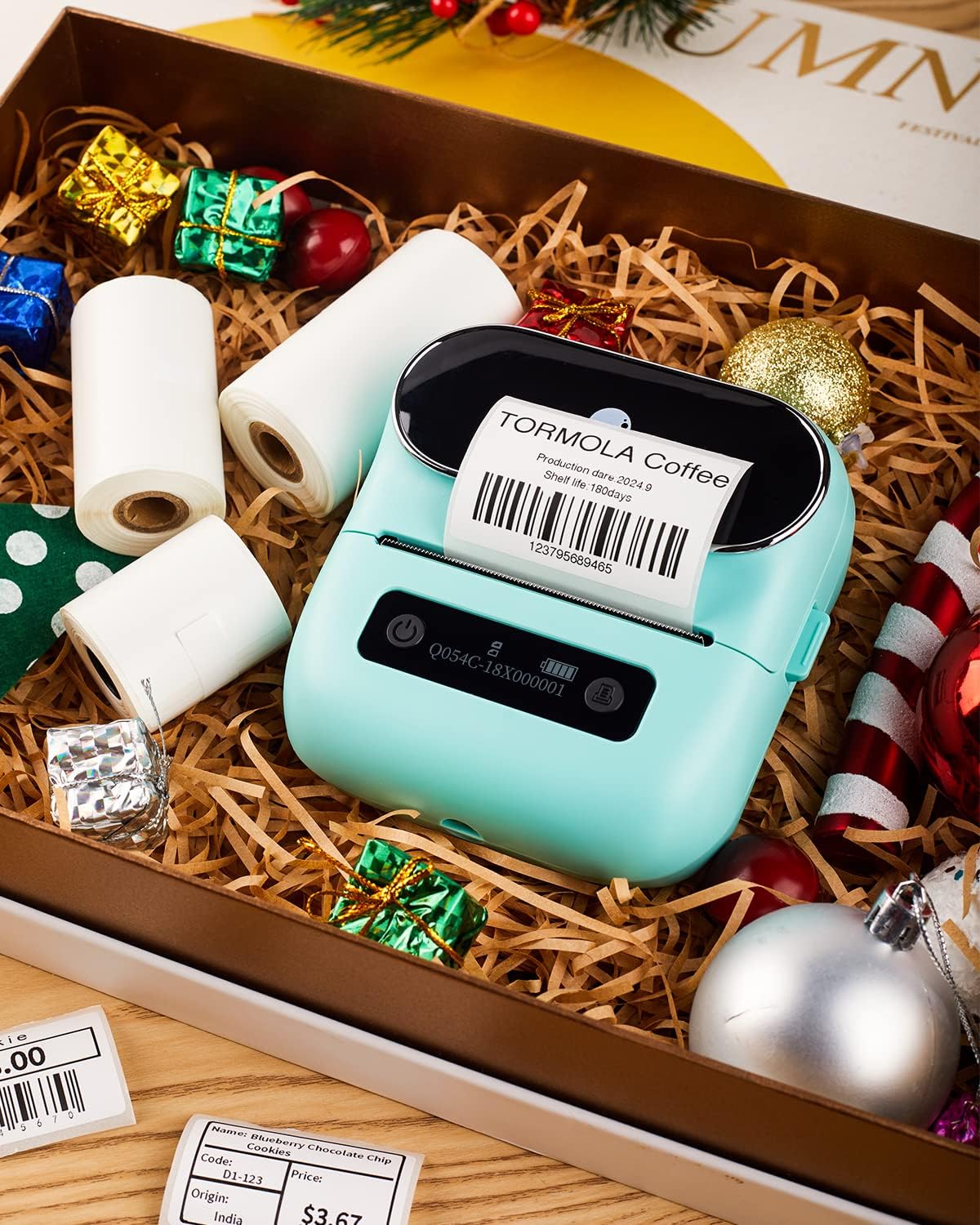
Phomemo M220 Label Maker, 3 Inch Bluetooth Thermal Label Printer for Barcode, Address, Labeling, Mailing, File Folder Label, Label Maker Machine with 3 Rolls of Labels
Couldn't load pickup availability
Overview
- Brand : Phomemo
- Connectivity Technology : Bluetooth, USB-Type-C
- Printing Technology : Thermal
- Special Feature : Compatible with mobile phones and computers, Inkless Thermal Printing, Long-Lasting Printing, Portable Compatible with mobile phones and computers, Inkless Thermal Printing, Long-Lasting Printing, Portable
- Color : Green
- Model Name : Small businesses
- Printer Output : Monochrome
- Max Printspeed Monochrome : 59 ppm
- Product Dimensions : 7.99"D x 5.9"W x 2.91"H
- Controller Type : Android, iOS
About this item
- Phomemo M220 Label Maker - This is a smart investment for hassle-free label printing. Using advanced thermal printing technology. M220 Wireless Thermal Label Printer eliminates the need for frequent ink, toner, and ribbon replacement. Simply insert thermal paper and use it with low maintenance and usage costs. Perfect for home, small business, office, school, and kitchen use. (Attention: The label maker only support print 0.78'' - 3.14'' width labels, can't print 4 x 6 shipping labels)
- Long Battery Life - M220 Barcode Label Printer Upgrade 2200 mAh battery provides up to 36 rolls of continuous printing, newly added auto-sleep mode, which can reduce power consumption by 25% and extend the use time by 2-3 hours.
- High Compatibility - The Phomemo M220 label maker machine boasts excellent compatibility. It supports Bluetooth wireless connectivity to smartphones and tablets and USB wired connectivity to PCs (Windows, macOS, and Chrome, but not Linux).
- Powerful and Useful App - Phomemo's R&D team create the Print Master APP for you, with a variety of built-in functions. One-click use: text, pictures, barcodes, QR codes, OCR, Form, hundreds of icons, and many pre-made templates for commercial and home use. Improve your efficiency.
- Widespread Use - M220 Portable Bluetooth Label Maker has an extensive variety of uses and creative possibilities. and Enjoy Labeling Anything Anywhere like: clothing, crafts, retail, jewelry, eBay, etc. Labeling address, barcode, shipping, price, date, ingredients, logos labels for product. Save you a lot of time for handwriting labels, allowing you to focus more on your small businesses.
- Phone and Tablet Start Printing - Step 1: Download the App 'Print Master'. Step 2: Turn on the M220 label maker and your phone's or tablet's Bluetooth. Step 3: Click the 'Printer' icon in the App to search for the M220 portable label printer, connect it via Bluetooth in the App, select the label size, and edit the content to start printing
- Laptop/PC Starts Printing - Step 1: Please check your laptop/PC's operating system (OS) and download and install the correct M220 driver and the 'Labelife' app from the Phomemo website. Step 2: Use the USB data cable to connect the M220 label maker to your computer. Step 3: Select the label size, edit the content, and choose M220 from the printer list
Share

Blog Posts
View all-
How to Create a Simple Office Restocking System...
How to Create a Simple Office Restocking System That Never Runs Out Running out of basic office supplies always happens at the worst time.Paper disappears mid-print, labels run out during...
How to Create a Simple Office Restocking System...
How to Create a Simple Office Restocking System That Never Runs Out Running out of basic office supplies always happens at the worst time.Paper disappears mid-print, labels run out during...
-
How to Reduce Office Supply Waste Without Slowi...
How to Reduce Office Supply Waste Without Slowing Down Your Workflow Office supply waste happens quietly.Extra paper, dried-out ink, unused labels, and forgotten supplies slowly pile up and eat into...
How to Reduce Office Supply Waste Without Slowi...
How to Reduce Office Supply Waste Without Slowing Down Your Workflow Office supply waste happens quietly.Extra paper, dried-out ink, unused labels, and forgotten supplies slowly pile up and eat into...
-
Why Standard Paper Sizes Matter More Than You T...
Why Standard Paper Sizes Matter More Than You Think in Office Work Paper size seems like a small detail.But using the right paper size affects printing accuracy, storage efficiency, and...
Why Standard Paper Sizes Matter More Than You T...
Why Standard Paper Sizes Matter More Than You Think in Office Work Paper size seems like a small detail.But using the right paper size affects printing accuracy, storage efficiency, and...